How Coaches & Scouts Use Next1
Next1 is a scouting workspace built for coaches, scouts, GMs, advisors, agents, and team managers.
Use it to save who you watched, write what you saw, compare trends, and export clean outputs.
Two paths: Most scouts/advisors start with watchlists + notes. Programs start by claiming a team for roster + game sheets.
1) Start your Scout Workspace (monthly • cancel anytime)
This is your personal workspace to track prospects and organize evaluations.
- Create private watchlists (by league, event, class, or target).
- Store long‑term notes that don’t get lost in texts or notebooks.
- Export lists when you need to share or follow up.
Open Account / Workspace →
2) Save players and write what you saw
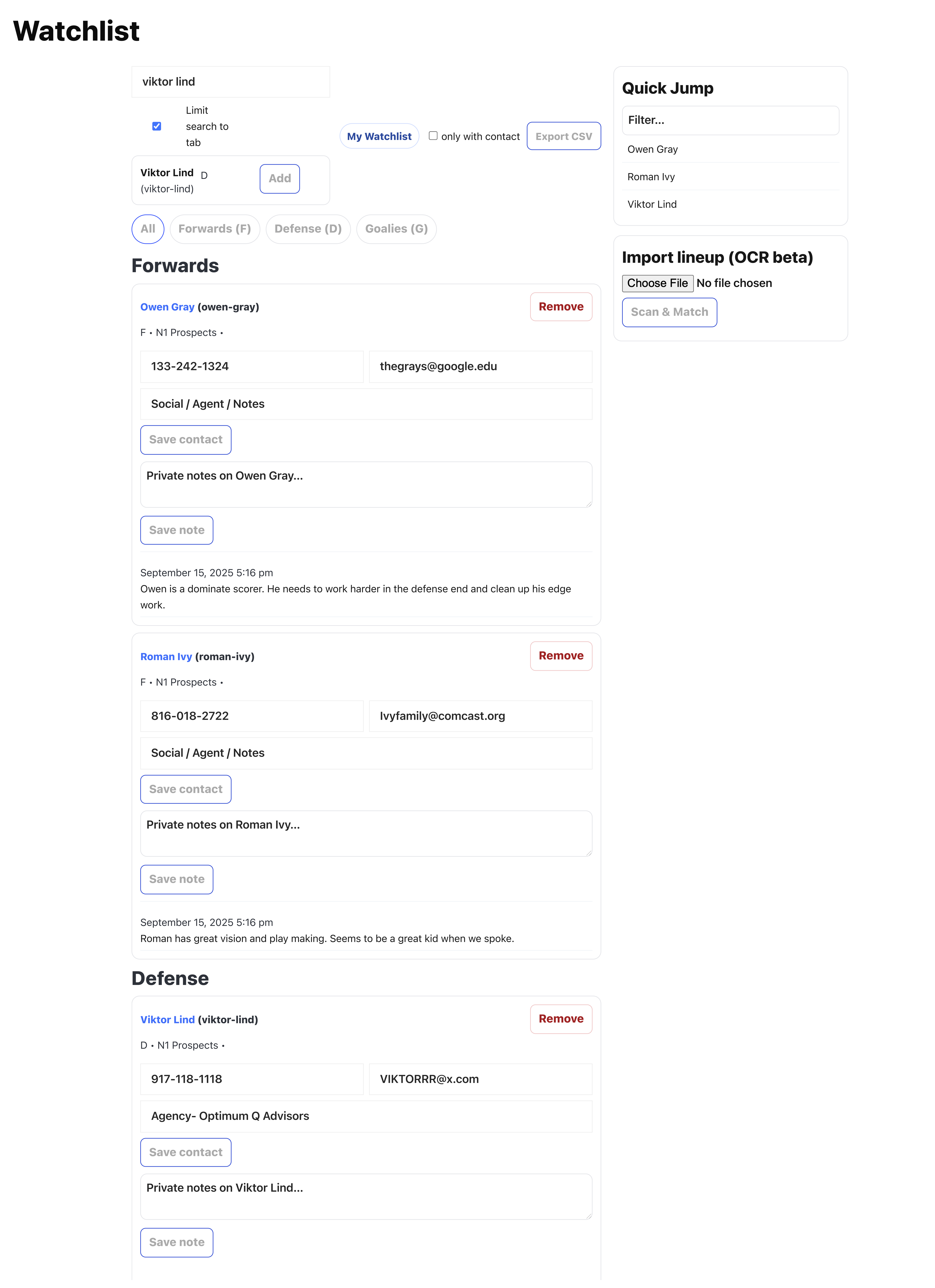
After a live view (or video), log a short note that answers: why does this player matter?
- Tag by position (F/D/G), class year, or role.
- Track follow‑ups: “need another view,” “talk to coach,” “call family,” etc.
- Create an email list tied to your notes (exportable).
Prospect Score supports decisions—your notes drive them.
3) Compare trends and export a clean PDF
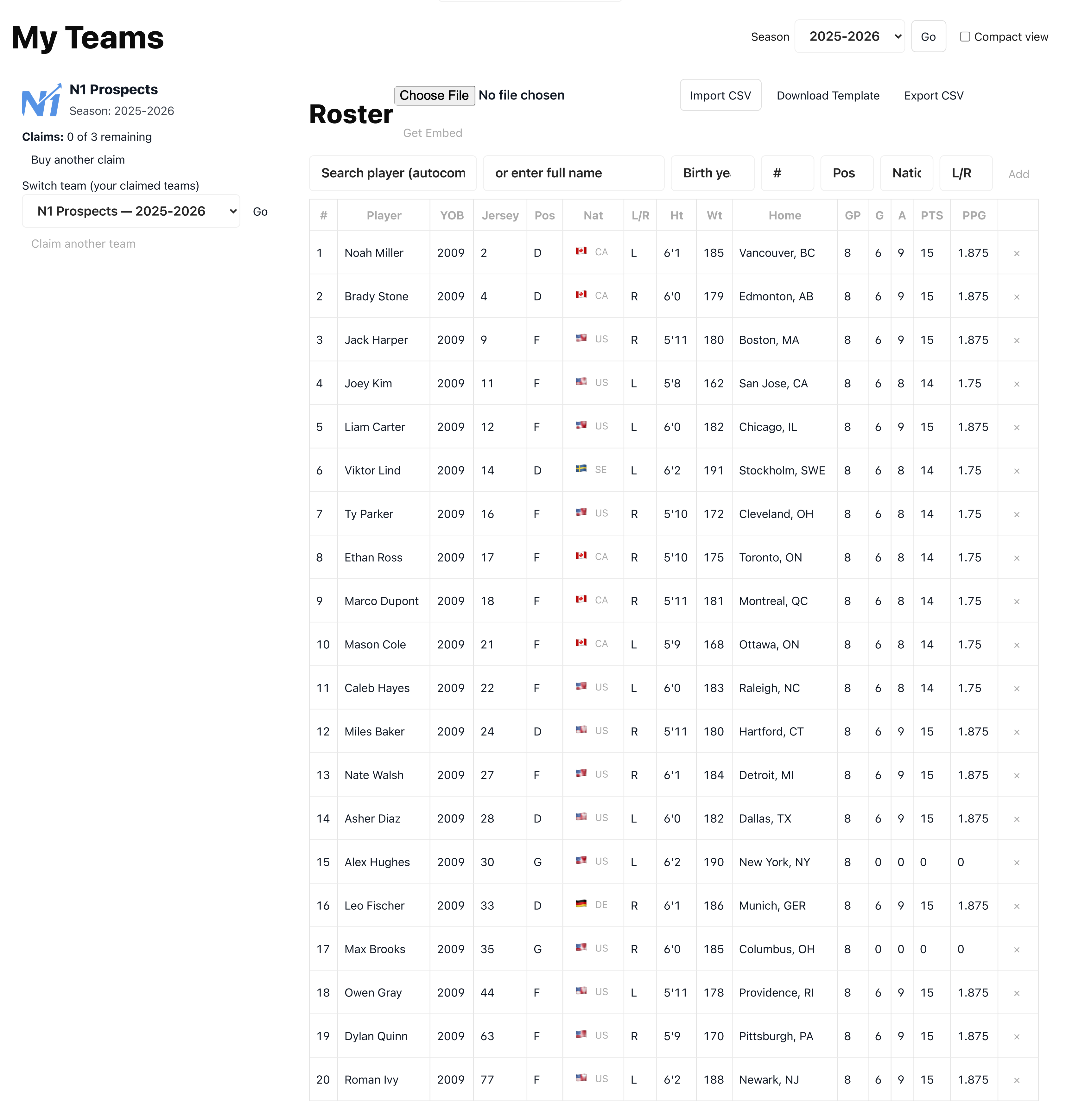
When it’s time to share with staff or clients, export something that looks professional.
- Generate line charts / game sheets for internal staff use.
- Export a polished PDF for meetings and recruiting boards.
- Use trends + context to prioritize who needs the next view.
See Scout tools →
4) (Optional) Set your team (for updated team stats + team‑branded outputs)
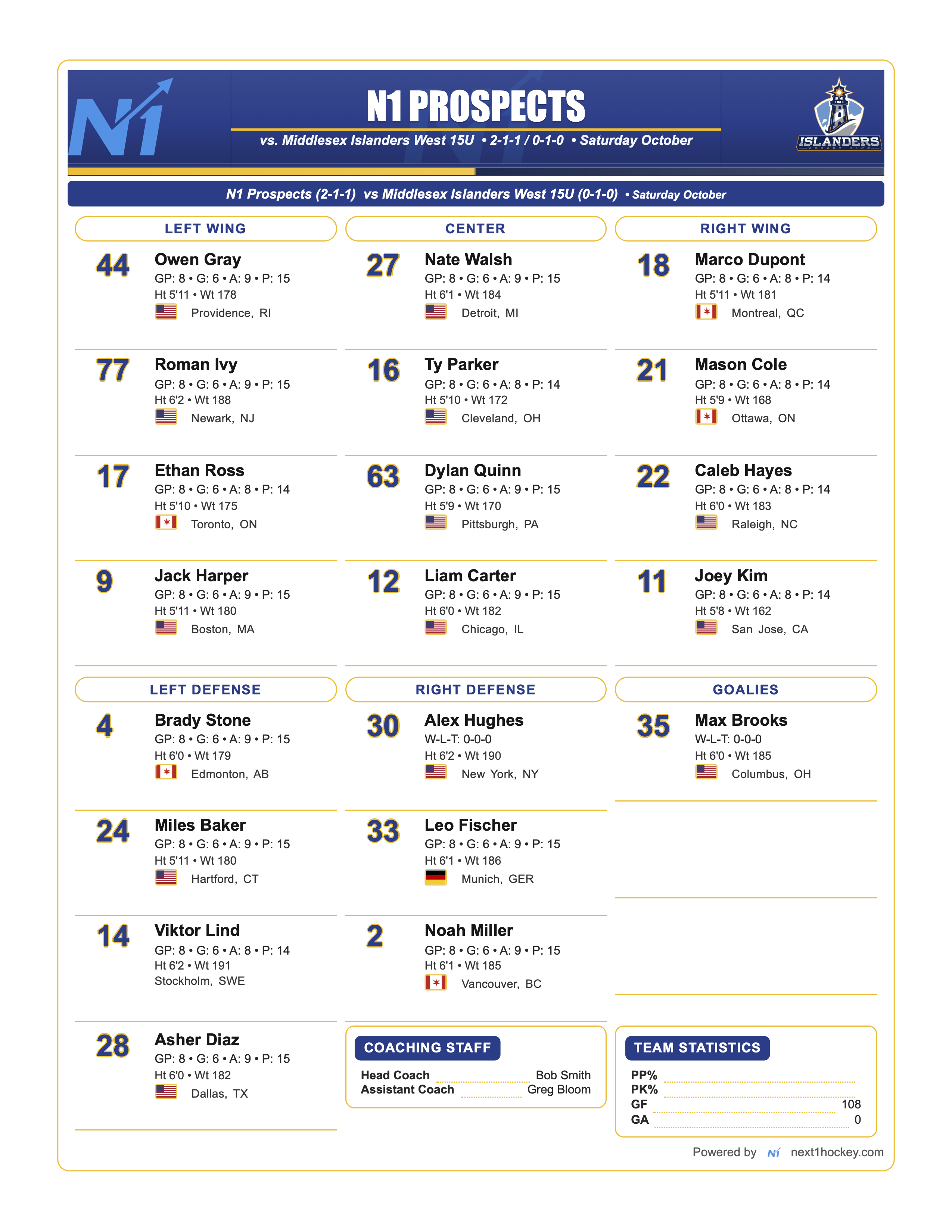
If you’re a team manager (or staff) and want your roster + team outputs inside Next1, set your team under My N1.
- Team Stats dashboard for the current season.
- Roster view (clean, shareable, CSV-ready).
- Team Theme selection (GameDay / Final graphics are included once the team is set—this is not the main product, it’s a built‑in team tool).
- Keep the same Scout Workspace—you’re just adding a team layer.
Open My N1 →
Open 2025–2026 Team Stats →
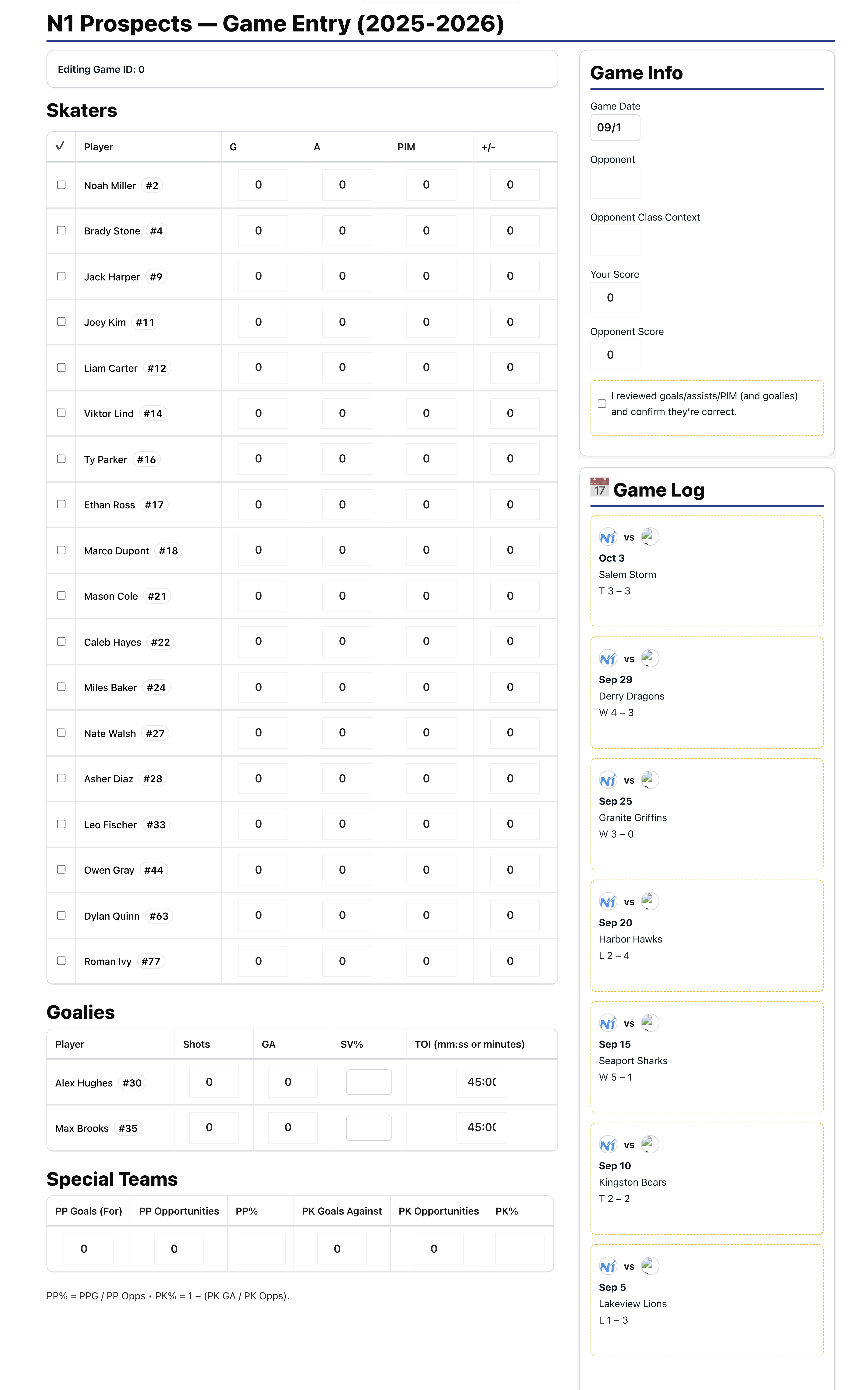
5) (Optional) Enter games as you go (team workflow)
For team workflows, log games quickly. Totals update immediately.
- Track special teams opportunities to monitor PP% and PK%.
- Keep a running game log for staff alignment.
6) (Optional) GM Hub: budget and roster modeling
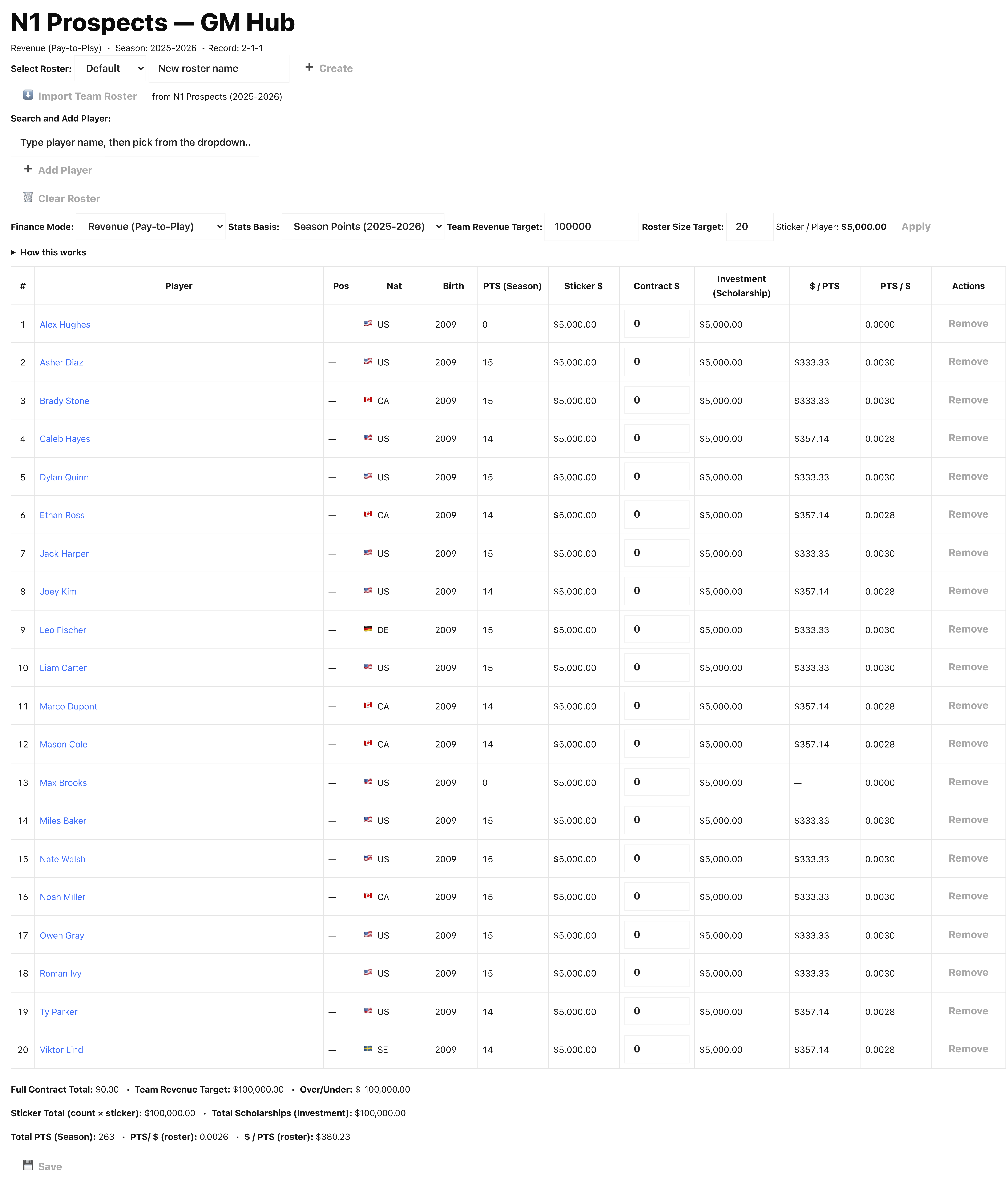
For GMs and team operators, GM Hub helps model roster size, revenue targets, and scholarship allocation.
- Plan scholarships and track dollars per point.
- Scenario modeling for pay‑to‑play / NLI style budgeting.
Default behavior: Prospect Score is supporting context. The real product is your workflow: watch → note → compare → export.